

Guides
Astro vs WordPress (and React): why I build on Astro now
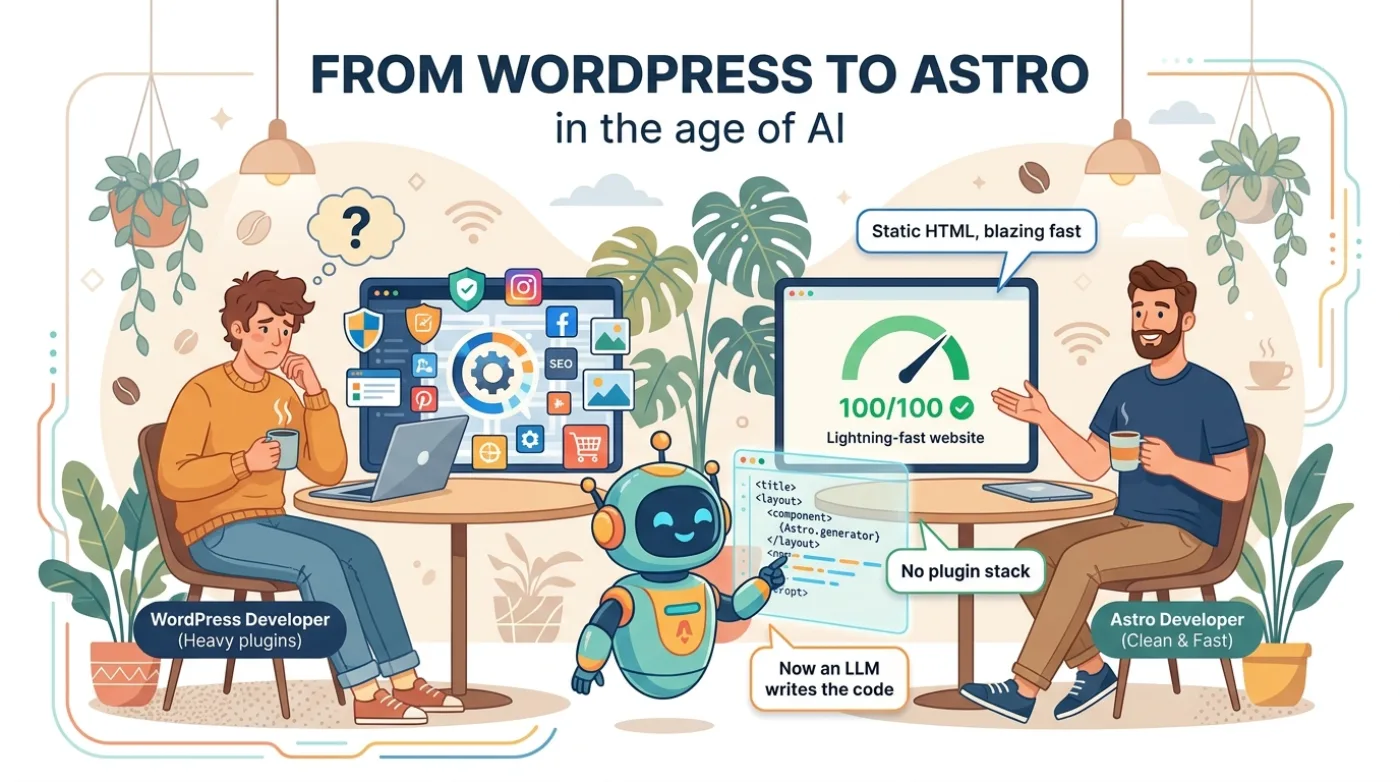
For most sites a business actually needs, I build on Astro now. That default has reasons, measured against the three tools I used to reach for: WordPress, a React framework like Next.js, and hand-coded static HTML. I just rebuilt a restaurant on it, so this comes from a shipped project, not a thought experiment.
Some context on where I'm coming from. I'm a developer and an SEO, and I care about two things at once: a site that Google and an LLM can read and rank, and an experience a real person enjoys. Astro is the first tool that handed me both without a fight.
Astro vs WordPress
WordPress renders your public site with PHP, a database, and a stack of plugins, running on every request. Astro renders your pages to static HTML at build time and ships almost no JavaScript. The visitor gets plain HTML and CSS, so the page is fast before you optimize a thing.
The deeper win is separation. WordPress welds your content to its theme and its plugins. Astro keeps content separate and pairs naturally with a headless CMS, so the content is reusable and the front end can change without touching it. You can even start without a CMS and add one the day you need it.
That separation makes redesigns normal instead of dreaded. Redoing a site every few years is healthy, and Astro makes it cheap. And when a page genuinely needs to be dynamic, Astro renders it on the server, so you keep the static speed without giving up dynamic pages.
Security comes along for the ride. A static site drops most of WordPress's classic attack surface, since there's no PHP running and no database to break into. And there's no plugin quietly going one stale version away from a breach. On the restaurant rebuild that showed up as an A+ security grade with no ongoing plugin to babysit.
Astro vs React and Next.js
This is the comparison people skip, because they assume "modern site" means React.
By default, an Astro page ships zero JavaScript. A React framework like Next.js ships a JavaScript runtime plus your components, then hydrates them in the browser. On a content site that's a lot of weight for very little return. Independent tests put a static Astro page around 8KB of JavaScript against roughly 85KB on Next, first paint near half a second against one to one and a half, and a Lighthouse performance score above 95 where Next slides toward 75 on a throttled connection.
With React you also add a build layer just to turn components into HTML a crawler can read. The architecture is taller, with more moving parts than Astro's flat model.
Islands are what set Astro apart from a plain static generator. Astro renders the whole page to HTML, then lets you drop a React, Vue, or Svelte component into one spot and hydrate only that. So an interactive menu filter or a booking widget lives exactly where you want it, and the rest of the page stays static and fast. You keep the good part of React without shipping the whole app to every visitor.
I don't say this to bury React. We reached for it because there was no Astro. Now there is, and for most sites that used React or WordPress, the React runtime is weight the visitor pays for and rarely needs. For search engines and LLMs it's the same story: they get clean HTML immediately, instead of waiting on JavaScript to render the content they're supposed to read.
Astro vs plain static HTML
Hand-coding static HTML gets you the speed and loses everything that keeps a site maintainable.
Astro gives you components, a clean config, and type-safe content collections for your Markdown. So instead of copying and pasting HTML across pages, you build a small, smart boilerplate once: your layout, your components, your variables. After that you spin up pages, and whole sites, fast and consistently.
That edge compounds at scale. For EMD sites and programmatic SEO, where you generate many pages from data, a modular Astro template is a serious tool. Build speed backs it up: a thousand-page docs site builds in about 18 seconds on Astro against 52 on Next. It replaces most of the very simple WordPress sites people still spin up, and I say that with some confidence.
Building it with Claude Code
One more advantage isn't Astro's alone, but it multiplies Astro: writing the site in code with Claude Code.
I describe a feature, it writes it, and I review the work the way I'd review a junior developer. I keep control of every part, and the model flags what's missing. The one that changed my work most is internal linking. Wiring a proper pillar-and-cluster structure, the thing AI search actually rewards, used to be tedious hand-work. Now it's quick to build and easy to keep consistent.
On a flat Astro project that loop is short, so a site that would have taken weeks takes days, and it's cleaner at the end.
But can the client still edit it?
This is the question that used to send me back to WordPress, and it doesn't anymore.
Astro handles a site that changes every day. If the owner wants a dashboard, I put a headless CMS in front, Payload or WordPress running headless, and they log in, edit a price, hit save, and the site rebuilds and ships in about a minute. They get the editor. The public site stays static and fast. Daily edits are fine. Ten editors are fine.
When WordPress or React still fit
I won't pretend the old tools are useless. Two cases still send me to WordPress, and they're narrower than they were.
The first is a deep off-the-shelf ecosystem: a real WooCommerce store, a course platform, a membership site with a paywall. Rebuilding that means I maintain each piece myself, so the mature plugin usually wins on cost. The second is people. WordPress is a commodity any agency can maintain, and a client who needs the cheapest hire next year has a fair reason to stay.
React earns its place too, on a genuinely app-like site: heavy interactivity, real-time data, a product that behaves more like software than a website. For that, reach for the framework. For a restaurant, a clinic, a studio, a local service, or a brand site, you don't need it.
The bottom line
WordPress runs too much of the web to be going anywhere, and React is the right tool for real apps. But for the sites I build, mostly content with a few clear actions, Astro gives a faster, safer, cheaper site that reads well for Google and for LLMs, and that the owner can still run day to day. That's why it's my default now.
If you've got a site that's slow, stuck on WordPress, or heavier than it needs to be, tell me about your project and I'll give you a straight answer on the right stack for it. Even if that answer is to leave it where it is.
FAQ
Is Astro faster than WordPress?
Usually, and by a wide margin. Astro ships static HTML with almost no JavaScript, while WordPress builds every page with PHP and a database and loads a plugin stack on each request. WordPress can be tuned to score well, but Astro is fast by default. The restaurant site I rebuilt scores 100 on mobile PageSpeed.
Is Astro good for SEO?
Yes. Astro renders clean, static HTML that Google and AI engines can crawl and read right away, with no JavaScript to wait on. Fast load times and easy structured data are exactly what modern search rewards.
Why are people moving away from WordPress?
Speed, security, and maintenance. A WordPress site rents a server and a plugin stack, needs constant updates to stay safe, and is slower by default. For content sites a static setup removes most of that weight, and a headless CMS now covers the editing that used to keep people on WordPress.
When should you still use WordPress instead of Astro?
Keep WordPress for a real store or course platform built on a mature plugin ecosystem like WooCommerce, or for a client who needs the cheapest maintainer on the market. For most content, local, and portfolio sites, a static setup is the better default now.